Twitter eventually owned by Elon Musk, fired CEO Parag Agarwal

Despite the controversy, various modes, and disagreements, finally, after six months, the microblogging platform Twitter has officially become Elon Musk’s. Following various strategies, Tesla and Space X CEO Elon Musk has transformed Twitter into a private company. 

Along with this, Musk has fired Twitter’s chief executive officer Parag Agwal, chief financial officer Ned Segal, and other top-level employees. Here we have given information about the strategies adopted by Elon Musk during the period of six months.

The 44 billion dollar offer made investors unable to say no

Elon Musk, the most popular user on Twitter, first presented a plan to buy shares of Twitter in order to become a big investor. The company then announced that Musk would join the board of directors. However, Musk did not participate in the board of directors.

Musk, who wants to own the company by buying all the shares of Twitter, plans to buy 100 percent of the shares. At that time, he announced that he would buy a little more than the price per share, i.e. $54.20 per share. Twitter accepted Elon Musk’s offer and proceeded with the legal process accordingly. However, this agreement was not going to proceed so smoothly.

Elon Musk backed out of buying Twitter because of bots

Everything was going well. At the same time, Musk sent a letter to Twitter saying that the contract between him and Twitter should be canceled. He said that he backed out of the deal to buy Twitter for $44 billion saying that the number of bots on Twitter was not transparent.

The company went to court to compel him to buy Twitter, which will be heard on Friday.

Then Musk decided to buy Twitter again  

After a long period of disagreements and disputes, Musk plans to buy Twitter again. Attorney Kathleen McCormick gave both sides a deadline of 5pm on Friday. He has completely closed the deal at the last moment.

Twitter CEO Parag Agarwal, CFO Ned Siegel and Policy Chief Vijaya Gaddy have been fired after taking the company under their private ownership.

What is Twitter for Elon Musk?  

Musk is the most famous user of Twitter, who has given that height to companies like Tesla, SpaceX and Neuralink, which are the most talked about companies in the world, who played an important role in activating a large audience.

Musk, who makes fun of Twitter on Twitter, introduced the platform as a means of entertainment as well as advertising his products. Musk has now said that Twitter will be transformed into a medium like WeChat and TikTok.

Similarly, he has a plan to bring back former US President Donald Trump, who was banned a few years ago.


Where To Download Windows ISO Legally

Windows ISO file is a DVD image or copy of the operating system, available on the internet for “free”. But Is It Legal & TRUSTWORTHY?

Windows users very often need an ISO file to legally install an operating system on their PC. Many of our friends don’t want to download Windows 10, 8.1, or 7 ISO from any torrent websites because the torrent file is not a trusted file.

Congratulations! You are in the right place. We will provide you a totally untouched Windows ISO file through which you can solve your problem.

Download Windows 10, 8.1, and 7 ISO legally

Microsoft always makes the latest and untouched ISO files available on its official website after releasing and updated version of Windows. Mostly people don’t know about this method to get a copy of fresh and latest Windows.

Get Windows 7 ISO file legally?

If you want to download Windows 7 ISO file legally you can get it from Windows 7 All In One ISO page or from the official Microsoft site, it’s up to you.

You need to enter a valid product key for your Windows 7 provided by Microsoft will let you download the Windows 7-ISO file easily. When you entered your key and verify, Microsoft will show you the 32-bit and 64-bit option to download.

After downloading the ISO file, you can burn the file to a DVD or create a bootable Windows 7 USB drive.

Windows 10 ISO Windows 8.1 ISO Windows 7 ISO XP

8 online dictionaries of value to students

Today we are giving information about 8 online dictionaries available online. 

Google Dictionary

An easy way for students to find the definition of any word online is Google Dictionary. To use this, first of all go to any browser and do Google search.

Now type ‘define’ in front of the word you want to know and click on the search button. Now you will see the definition of the word, examples of usage, synonyms and antonyms, origin of the word, translation, graph showing the use of the word over time and many other things.

Merriam Webster

When you search for a word on this website, you will see the meaning with pronunciation, synonyms and antonyms, examples of the word being used in sentences, articles using the word, history and etymology of the word.

Apart from this, grammar, confusion caused by the use of words, popular words will also appear on the website. For those who are interested in words, the website also features vocabulary tests, crossword games, spelling quizzes, etc.

power thesaurus

This website has a huge collection of synonyms and antonyms of the word. Besides, when you search any word here, the meaning and pronunciation of that word, proverbs related to that word, etc. appear.

In addition, you will also see the words that others are eating recently. You will also see a list of words that have become famous by many people.

McMillan Dictionary

This website provides various effects in terms of meaning, pronunciation, synonyms and antonyms, video, picture, sound when searching for any word.

The website has facilities for users to add words themselves, add usages of words etc.

In addition, various educational materials such as infographics, metaphors, jakes related to different languages ​​are also available.

collins dictionary

The meaning of words on this website, apart from usage, additional features such as; Materials for learning grammar, English dictionary, English-French dictionary, English-German dictionary, English-Hindi dictionary and other language dictionaries are also available.

Also, games and learning materials related to words are available.

ludwig

This is a suitable dictionary to look up these sentences. When searching for any word here, appropriate sentences used in various newspapers, journals, official documents, scientific articles, blogs etc. will appear.

Also, no matter what language you write in, this website automatically translates to English and shows the appropriate sentence. 

word reference

This is a website with multilingual and translation facility. This website also provides dictionaries of different languages.

Any word can be discussed and debated on this website. Where you will get answers to your queries or questions from experts in the respective languages.

Wet words

This website is suitable if you also want something visual while looking for the meaning of the word. This website uses any word like name; The visual shows the meaning, definition, usage, synonyms and antonyms, facts related to the word, etc.

This dictionary has identified itself as a modern dictionary of modern times. This website uses visuals to help students understand a word.

How to Stop Spam Email in Gmail, Here’s How

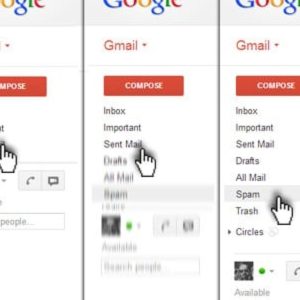
In Gmail, you must have got some spam message from any random ID every day. In addition, you may also receive newsletters and promotional emails from a variety of brands to which you have never subscribed. Your valuable time will be wasted in deleting such unwanted emails and spam messages. That’s why here we are telling you how to stop such unwanted messages or emails, so that you can save valuable time and keep your Gmail account inbox clean and tidy, as well as keep you away from any kind of phishing attack. 

Report Spam and Unsubscribe from Spam Emails

After logging into Gmail, select all the spam emails that you want to unsubscribe from. 
After that click on the ‘i’ icon given at the top, after which you will see the option of Report spam or Report spam and unsubscribe. 
Here, check the selected email id once again and then select the Report spam and unsubscribe option. You will not receive emails from these accounts once you enable it. 


Apply Filters to Detect Spam Emails

Open your Gmail account and click on the search box at the top. Here, type unsubscribe to list all promotional emails. 
Select all spam emails, but do not contain any emails or newsletters that are of any use to you. 
Now click on the three dots above and select Filter messages like these. 
Now click on the Create Filter option and choose whatever you want to do with these spam emails. For example, if you want such emails to be automatically deleted, you can click Create a filter and select the Delete option. 
Now you will get a popup informing that the filter has been created. In addition to deleting, you can also label such emails. 

Use a temporary email ID

When you share your Gmail ID on different sites, this ID goes to many third parties. In such a situation, your risk of getting many types of spam emails increases. Sometimes these spams seem quite valid and you can get caught in a phishing attack. 
In such a situation, instead of giving your primary Gmail ID, you can give a temporary ID. 
Websites like temp-mail.org provide you with a free temporary ID. You can use a temporary ID from any such site. 
This is how you can keep your primary Gmail account safe and spam-free.