 CCTV Accessories
 Computer Accessories
 Laptop Accessories
 Network Accessories
 Printer Accessories
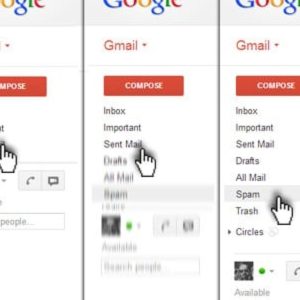

How to Stop Spam Email in Gmail, Here’s How

In Gmail, you must have got some spam message from any random ID every day. In addition, you may also receive newsletters and promotional emails from a variety of brands to which you have never subscribed. Your valuable time will be wasted in deleting such unwanted emails and spam messages. That’s why here we are telling you how to stop such unwanted messages or emails, so that you can save valuable time and keep your Gmail account inbox clean and tidy, as well as keep you away from any kind of phishing attack.
Report Spam and Unsubscribe from Spam Emails
After logging into Gmail, select all the spam emails that you want to unsubscribe from.
After that click on the ‘i’ icon given at the top, after which you will see the option of Report spam or Report spam and unsubscribe.
Here, check the selected email id once again and then select the Report spam and unsubscribe option. You will not receive emails from these accounts once you enable it.
Apply Filters to Detect Spam Emails
Open your Gmail account and click on the search box at the top. Here, type unsubscribe to list all promotional emails.
Select all spam emails, but do not contain any emails or newsletters that are of any use to you.
Now click on the three dots above and select Filter messages like these.
Now click on the Create Filter option and choose whatever you want to do with these spam emails. For example, if you want such emails to be automatically deleted, you can click Create a filter and select the Delete option.
Now you will get a popup informing that the filter has been created. In addition to deleting, you can also label such emails.
Use a temporary email ID
When you share your Gmail ID on different sites, this ID goes to many third parties. In such a situation, your risk of getting many types of spam emails increases. Sometimes these spams seem quite valid and you can get caught in a phishing attack.
In such a situation, instead of giving your primary Gmail ID, you can give a temporary ID.
Websites like temp-mail.org provide you with a free temporary ID. You can use a temporary ID from any such site.
This is how you can keep your primary Gmail account safe and spam-free.
Perfectly composed written content, regards for selective information.
Magnificent beat ! I would like to apprentice while you amend your site, how can i subscribe for a blog site? The account aided me a acceptable deal. I had been a little bit acquainted of this your broadcast provided bright clear idea
I was very pleased to search out this web-site.I wanted to thanks for your time for this glorious read!! I undoubtedly enjoying every little little bit of it and I have you bookmarked to check out new stuff you blog post.
Thanks for some other fantastic post. Where else may just anyone get that type of info in such an ideal approach of writing? I’ve a presentation subsequent week, and I’m at the search for such information.